The Ultimate Guide to Visual IVR Workflows: Drag-and-Drop Call Routing for Modern Contact Centers
Learn how to design visual IVR call flows with drag-and-drop nodes, AI voice bot branching, queue skills routing, and automated SMS/WhatsApp fallbacks.
W
Wevyn Tech TeamAI & Telephony Engineering
On this page
Beyond Static DTMF: The Next Generation of IVR
Legacy IVR systems force callers through rigid, nested keypress menus that waste time and frustrate customers. Modern contact centers rely on Visual IVR Designers that combine graphical node flows with intelligent AI decision trees.
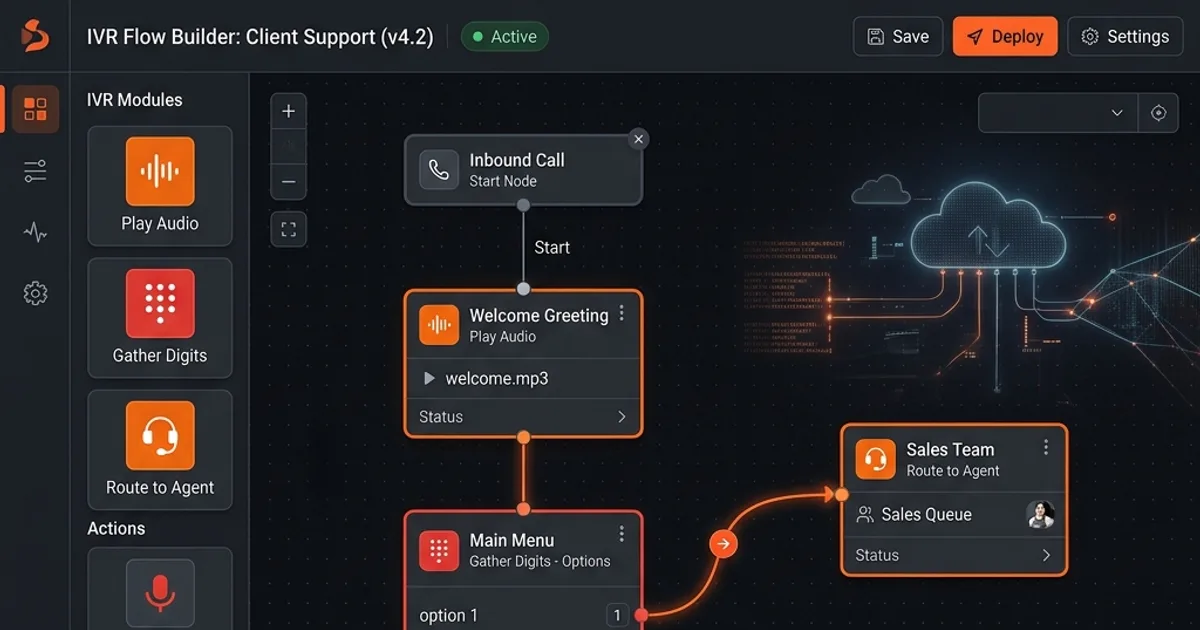
In a Visual IVR, call flows are configured visually using drag-and-drop nodes:
- Audio Prompts: Play recorded audio or neural Text-to-Speech greetings.
- Intent Recognition Nodes: Evaluate spoken customer responses using Speech-to-Text models.
- Conditional Branching: Route based on VIP status, business hours, SLA urgency, or caller region.
- Automated Fallback: Send instant WhatsApp or SMS confirmation links if callers select self-service options.
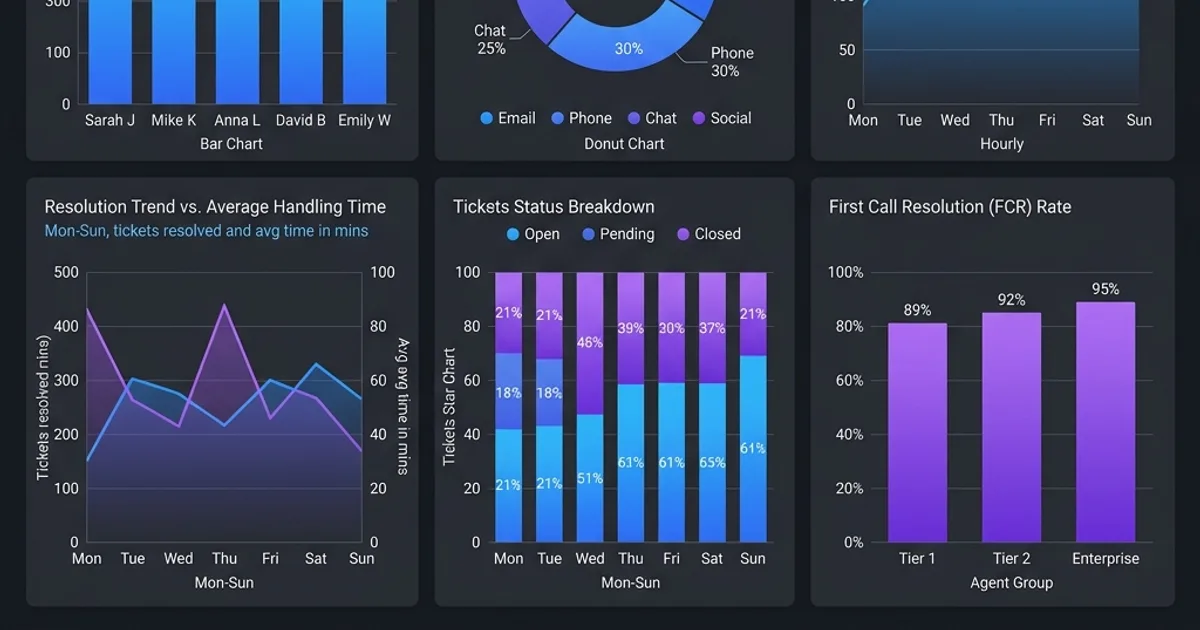
Figure 1: Wevyn Drag-and-Drop Visual IVR Builder — Combining Speech Nodes, Skill Queues, and AI Handoffs.
4 Essential Visual IVR Patterns for High-Volume Call Centers
Pattern 1: Intent-Based AI Routing
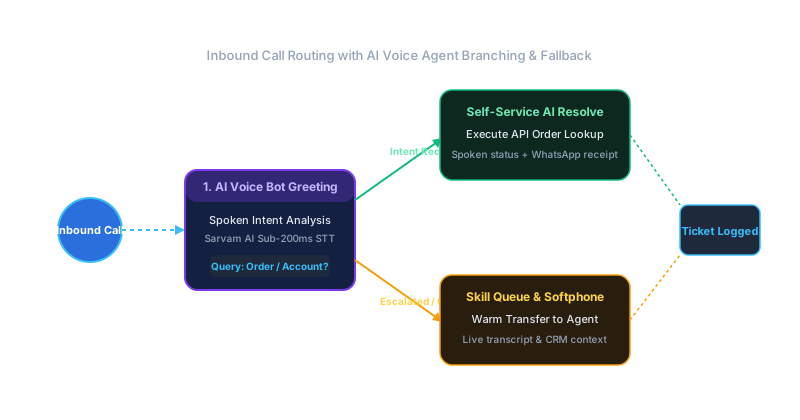
Instead of asking callers to press 1, 2, or 3, an AI Speech Node asks: "How can we help you today?" The engine transcribes the response, matches the intent against your knowledge base, and routes directly to the appropriate team or AI agent.
Pattern 2: VIP Customer Priority Queueing
Query customer CRM records in real-time upon call arrival. If a VIP customer calls, bypass standard IVR prompts and transfer the call directly to their dedicated account manager's WebRTC softphone.
Pattern 3: Deflection to Messaging Channels
For routine requests like tracking numbers or business hours, offer an automated messaging option: "Would you like us to text you a direct track-and-trace link via WhatsApp?" Upon confirmation, the system triggers a WhatsApp message via API and closes the call.
Pattern 4: Smart After-Hours Voicemail-to-Ticket
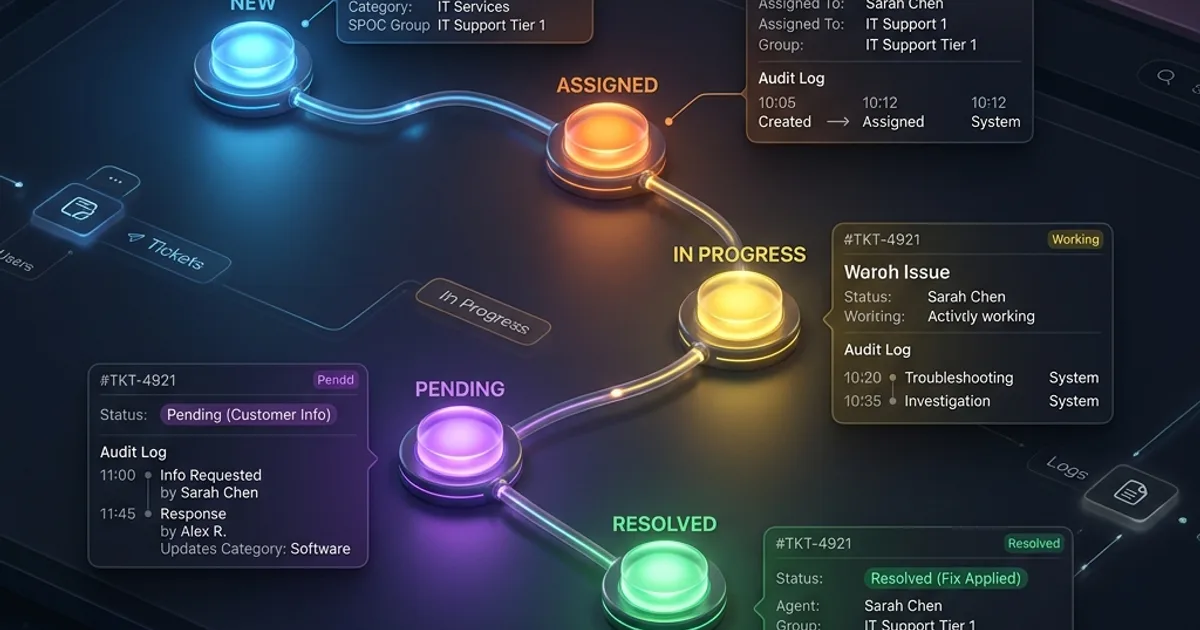
When calls arrive after business hours, the Visual IVR prompts the caller to leave a voice message. The system transcribes the audio, generates a text summary, and logs a prioritized support ticket for the morning shift.
We use cookies to understand how visitors use wevyn.ai — which pages, from where — so we can improve the site. Nothing loads until you say yes. Privacy policy