How to Build an Autonomous AI Voice Agent for Inbound Call Queues in 2026
Step-by-step guide to deploying conversational AI voice agents for inbound telephony, automated ticket creation, mid-call language switching, and confidence-based human transfers.
W
Wevyn Tech TeamAI & Telephony Engineering
On this page
The Shift from Press-Button IVR to Conversational Voice AI
Traditional Interactive Voice Response (IVR) systems are notorious for frustrating customers:
> "Press 1 for Support, Press 2 for Billing, Press 3 to repeat..."
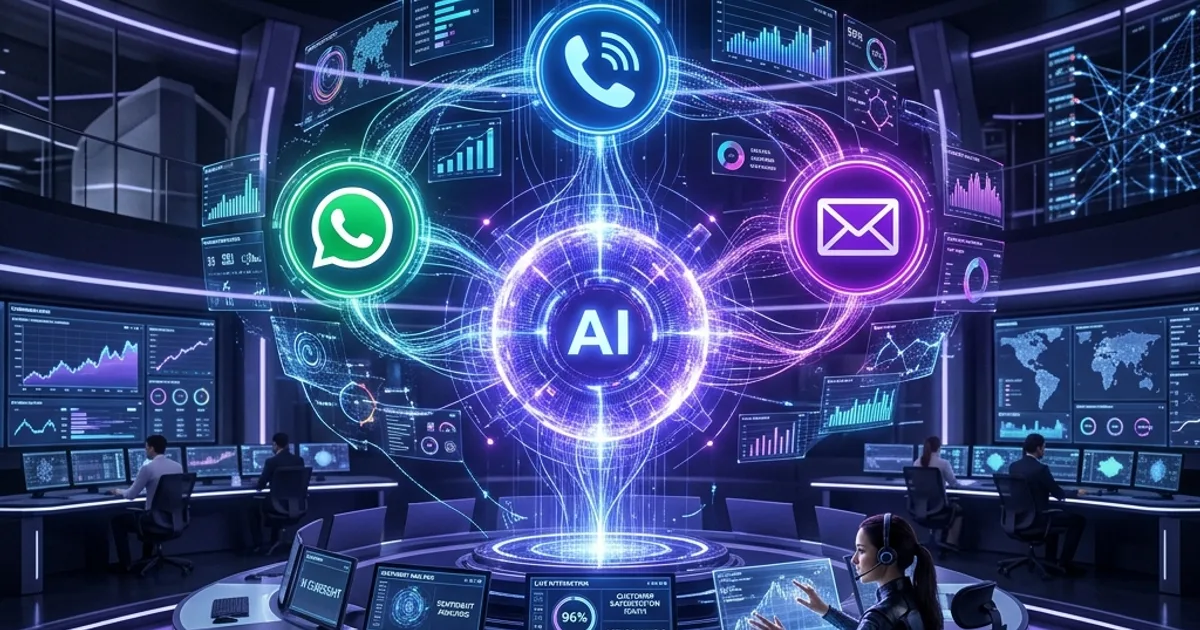
In 2026, leading support organizations are replacing static push-button IVR menus with Conversational AI Voice Agents. An AI voice agent listens to spoken natural language, queries internal systems or knowledge bases, executes ticket actions, and responds verbally within milliseconds.
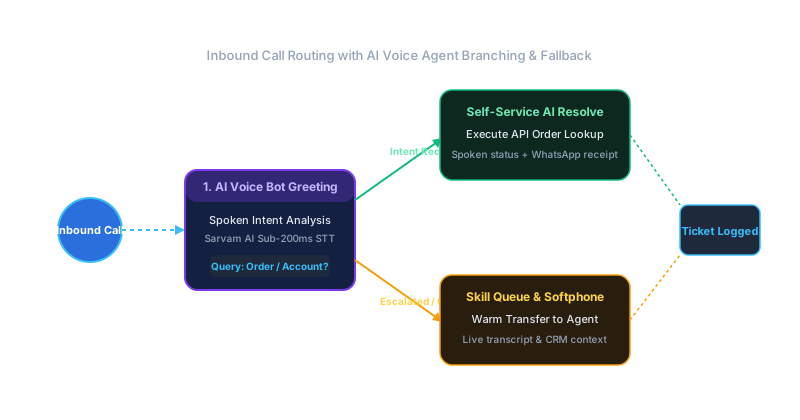
Figure 1: Visual Drag-and-Drop IVR Flowchart with Real-Time AI Intent Analysis & Warm Agent Escalation.
4 Architecture Components of an AI Voice Agent
Building a real-time voice agent requires coordinating four key subsystems:
WebRTC Telephony Ingress: Receiving live G.711 / Opus audio streams from SIP trunks using LiveKit or WebRTC bridges.
Speech-to-Text (STT): Transcribing customer audio in real-time with sub-200ms latency (supporting English, Hindi, and regional dialects).
LLM Reasoning & Knowledge Retrieval: Grounding responses in company documentation and ticket historical data to prevent hallucinations.
Text-to-Speech (TTS) Synthesis: Converting generated response text into natural, expressive human-like speech (e.g. Sarvam Bulbul v3 models).
Step-by-Step Deployment Guide in Wevyn
Step 1: Design the Voice Agent Persona & System Prompt
In the Wevyn platform dashboard, define your agent's role, tone, and rules:
``text
You are Priya, an AI Customer Support Specialist for Wevyn.
Your goal is to assist callers with order status tracking, password resets, and return requests.
Be polite, concise, and confirm details before taking ticket actions.
``
Step 2: Connect Knowledge Bases & APIs
Link your company documentation portal and Shopify / ERP APIs so the AI voice agent can lookup live order statuses and answer policy questions accurately.
Step 3: Configure Smart IVR Routing Nodes
Use Wevyn's Visual IVR Builder to drag and drop a Smart IVR Node onto your incoming phone line:
- Entry point: Incoming phone call on main DID
- Active Agent: Select your custom AI Voice Agent
- Fallback Node: Route to human agent queue if confidence score < 75%
Ensure barge-in is enabled so callers can interrupt the AI while it speaks. If a caller asks for a human supervisor, the AI executes a warm handoff — transferring the call while passing the complete transcript and summary to the human agent's softphone screen.
Results: What to Expect
Teams deploying Wevyn AI Voice Agents report:
- 70% Instant Resolution on routine tier-1 call inquiries
- Zero Queue Wait Time for callers during peak hours
- 35% Reduction in Call Center Overhead
We use cookies to understand how visitors use wevyn.ai — which pages, from where — so we can improve the site. Nothing loads until you say yes. Privacy policy